# Covid-19 Vaccine Availability Checker
Since Government has announced Vaccination registration for people above +18 Age, People are facing issues booking slots and struggling with OTPs on government websites and apps. So many developers took an oath to solve this issue for the normal people. Nowadays you can find many GitHub repositories that talk or teach about how can we leverage government-provided official APIs to solve their issues. But my question is normal people want a solution, which they can easily access from anywhere without digging into codes, packages, libraries, etc. So how can we give something to them without making them tangled in scripts and codes? **People need one-click solutions** so I have decided to make something useful that can tackle these problems.
Maybe this type of platform has already been published by someone somewhere.
But I believe it's better to have multiple platforms rather than having a single one. for example, let suppose in your area there is only one hospital and your area is suffering from a plague then there will be a rush in the hospital and hospital authorities will not be able to handle the situation, and here every second count. And if there are multiple hospitals then the load will be less and people get the treatments on time and nobody has to die due to lack of resources. Similarly, if we have multiple platforms then everyone gets the solutions they are seeking for.
# Introduction
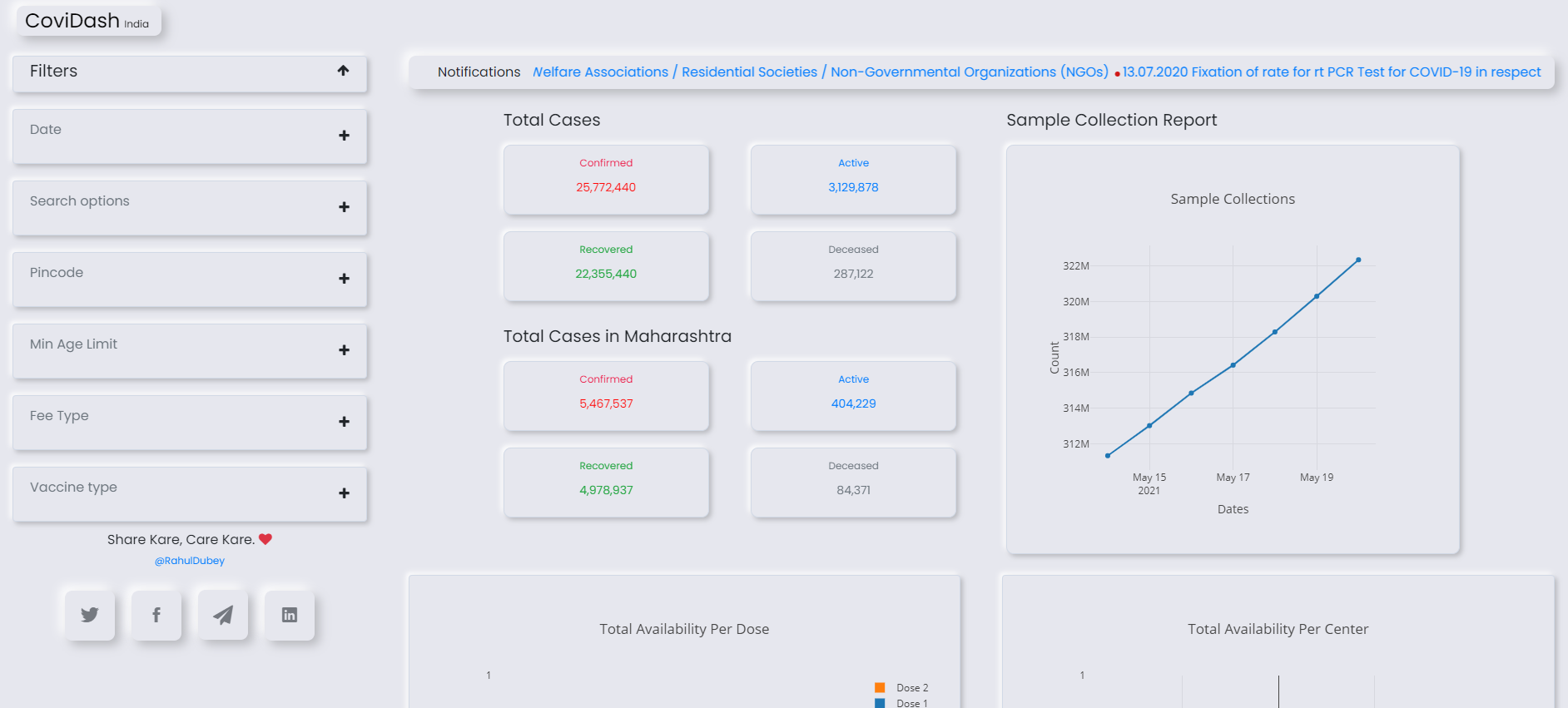
**Covidash India**, named so because it provides a dashboard related to Covid-19 effects & its statistics. This provides data like **Daily cases country-wise stats, Cases per state stats, Hospitals and beds available per state, medical colleges & admission capacities per state, Helplines, Notification & Advisories** sourced from **Ministry of Health and family welfare**.
And data like **Available centers & slots based on the district and Pincode** by **Cowin Govt. API**.
# Platform Overview
you can check the website from this link
## Project Set-up
#### Pre-requistes
- You can check my [Covidash](https://github.com/d-evil0per/coviddash) GitHub repository and download it as a zip file or you can also clone it using git in command prompt or terminal by using the below command.
$ git clone https://github.com/d-evil0per/coviddash
- navigate to `covidash` directory
cd covidash
- Project Directory Tree is shown below:
C:.
│   app.py
│   app.yaml
│   Procfile
│   README.md
│   requirements.txt
│   wsgi.py
│
├───API
│       api.py
│       base_api.py
│       constants.py
│       utils.py
│
├───static
│   ├───css
│   │       news.css
│   │       Social-Icons.css
│   │       styles.css
│   │
│   └───js
│           bs-init.js
│           filter.js
│           main.js
│           script.min.js
│
└───templates
        index.html
        sitemap.xml
- **Python flask Framework** has been used as a backend for this project you can use **PHP, Node, etc** as per your choice.
- If you don't have python installed, Please install it from **[Python org website](https://www.python.org/downloads/) **
- **Bootstrap 4** has been used as front-end, you can also use **React, Angular, etc**
- All **CSS** & **JS** files required you can find it under **App/static** directory
- there is only one HTML file because it's a **SPA ( Single Page Application)**, you can find it under the **App/templates** directory
- **Cowin API** - Check the official website [Open APIs](https://apisetu.gov.in/public/marketplace/api/cowin)
- **COVID-19 REST API** - check the API sourced from [Ministry of Health and family welfare](https://api.rootnet.in)
#### Dependency Installation
You need to install all the required libraries used in this project. You can find the **requirements.txt** file in the root directory of this project.
- You can install it using the **pip** command. but before that, we will create a **virtual environment** for this project to avoid loading unwanted libraries into your system which you might not use regularly.
> Check [Creating Virtual Environment in Python ](https://deviloper.in/creating-virtual-environment-in-python) blog to install Virtual environment in python.
- Installing requrements.txt using pip
pip install -r requirements.txt
#### **Execution**
- Windows
py wsgi.py
- Linux & MacOS
python3 wsgi.py
## Bonus Points
#### Calling APIs
if you want to use the `Cowin API` these are the things you should keep in mind.
- While calling the API, always Pass the `header` with the user-agent attribute as shown below.
{'User-Agent': 'Mozilla/5.0 (Macintosh; Intel Mac OS X 10_10_1) AppleWebKit/537.36 (KHTML, like Gecko) Chrome/39.0.2171.95 Safari/537.36'}
- You can also use `fake_useragent` library in python. it provides a nice abstraction layer over user agents.
from fake_useragent import UserAgent
user_agent = UserAgent()
For example, Let's Grab the center details using Pincode and Date using **Cowin findByPin API**
from typing import Union
import requests
from requests.exceptions import HTTPError
import json

url="https://cdn-api.co-vin.in/api/v2/appointment/sessions/public/findByPin?pincode=831001&date=31-03-2021"

def call_api(url) -> Union[HTTPError, dict]:
        # user_agent = UserAgent()
        # headers = headers={'User-Agent': user_agent  }
        headers = headers={'User-Agent': 'Mozilla/5.0 (Macintosh; Intel Mac OS X 10_10_1) AppleWebKit/537.36 (KHTML, like Gecko) Chrome/39.0.2171.95 Safari/537.36'}
        response = requests.get(url, headers=headers)
        try:
            response.raise_for_status()
        except requests.exceptions.HTTPError as e:
            return e

        return response.json()

response= call_api(url)
print(json.dumps(response,indent = 4))
#### Response from server
{
    "sessions": [
        {
            "center_id": 627226,
            "name": "ASG Hospital Covishield",
            "address": "",
            "state_name": "Jharkhand",
            "district_name": "East Singhbhum",
            "block_name": "Jugalsalai Sah Golmu",
            "pincode": 831001,
            "from": "19:30:00",
            "to": "14:30:00",
            "lat": 22,
            "long": 86,
            "fee_type": "Paid",
            "session_id": "735811ed-f841-49e4-b129-62ac7e9fef37",
            "date": "31-03-2021",
            "available_capacity_dose1": 0,
            "available_capacity_dose2": 0,
            "available_capacity": 100,
            "fee": "0",
            "min_age_limit": 45,
            "vaccine": "COVISHIELD",
            "slots": []
        }
    ]
}
Now Let's check the same Code without passing header data
from typing import Union
import requests
from requests.exceptions import HTTPError
import json

url="https://cdn-api.co-vin.in/api/v2/appointment/sessions/public/findByPin?pincode=831001&date=31-03-2021"

def call_api(url) -> Union[HTTPError, dict]:

        response = requests.get(url)
        try:
            response.raise_for_status()
        except requests.exceptions.HTTPError as e:
            return e

        return response.json()

response= call_api(url)
print(response))
#### Response from server
403 Client Error: Forbidden for url: https://cdn-api.co-vin.in/api/v2/appointment/sessions/public/findByPin?pincode=831001&date=31-03-2021
#### Note:
- If you are planning to create and deploy your own project using the `Cowin API`. Please keep this in mind if you are using any server hosted in other regions except India then you will not be able to call the API and it will give you the `403 Access Forbidden Error`.